Skip to main contenteBay Playbook
  • Get started
  • Foundations
  • Design system
  • Expressions
  • Resources
  • Articles

Foundations

  • Overview
    • Our logo
    • Using our logo
    • Using our tagline
    • Showcase
    • Our colors
    • Using color
    • Using color in product
    • Using color in marketing
    • Using color in illustration
    • Best practices
    • Showcase
    • Our typeface
    • Using type
    • Using type in digital
    • Using type in print
    • Best practices
    • Showcase
    • Our photos
    • Visual tone
    • Image types
    • Showcase
    • Our icons
    • Using icons
    • Confirmation indicators
    • Icon library
    • Best practices
    • Showcase
    • Our illustrations
    • Visual tone
    • Using illustration
    • Sizing and placement
    • Best practices
    • Showcase
    • Our motion
      • Using motion in product
      • Volume of motion
      • Product transitions
      • Expressive animation
      • Using motion in marketing
      • Layout in motion
      • Typography in motion
      • Depth in motion
    • Overview
    • Include plugin
      • Overview
      • Responsive layout
      • Image ratio
      • Uniform
      • Masonry
      • Mosaic
      • Overview
      • Stacks
    • Interaction levels
    • Interaction states
    • Using object styles in product
    • Using object styles in marketing

Image ratio

v1.0

Images are the primary visual gateway to the products on eBay. To ensure a consistent, professional, and engaging experience for all users, it's essential to understand and utilize the recommended image aspect ratios.

Stylized pictogram image  of aspect ratios
Image ratiov1.0

On this page

  • Tenets
  • Ratios
  • Responsive
  • Import
  • In context
  • Best practices
  • Resources
PreviousResponsive layoutNextUniform
Things.People.Love.
  • Get started
  • Foundations
  • Design system
  • Expressions
  • Resources
  • Articles
  • About eBay Design
  • Careers
  • Press
  • Privacy policy
© 2026 eBay. All rights reserved.

eBay Evo, the eBay trademark, and the eBay logo are the intellectual property of eBay Inc.

    Tenets

    Aspect ratio refers to the proportional relationship between an image's width and height. On eBay, we've established key aspect ratios to ensure optimal display across various devices and platforms in our product.

    Ratios

    Responsive

    Across devices, image aspect ratios are preserved. Though grid layouts may shift, individual images maintain their original proportions, preventing unwanted cropping or stretching.

    Import

    When sellers upload product images, we retain the original aspect ratio of the imported image. However, in most surfaces, the aspect ratio will display at 1:1, so it is important to allow users to provide a preferred framing. The original aspect ratio, if different than 1:1 may be leveraged in masonry feeds, gallery views, and single category layouts.

    In context

    eBay uses various aspect ratios to optimize displays. While 1:1 is our standard, other formats enhance specific contexts.

    Best practices

    Resources

    Devices using native image capture. Number 1 points to portrait orientation. Number 1 points to landscape orientation.
    1. 3:4 is used mostly in the wild for general picture taking
    2. 4:3 is used less, but good for landscape-style photos

    Image integrity

    Our system prioritizes the integrity of user images. We maintain the original aspect ratio of all uploaded content, avoiding automatic cropping. By recognizing common camera defaults, such as 3:4 and 4:3, we ensure accurate and consistent display across our platform. Users should have the option to define a fixed ratio focal point within their images, providing additional control over visual presentation.


    An image that is cropped, and another where the original size is preserved.

    1:1 standard

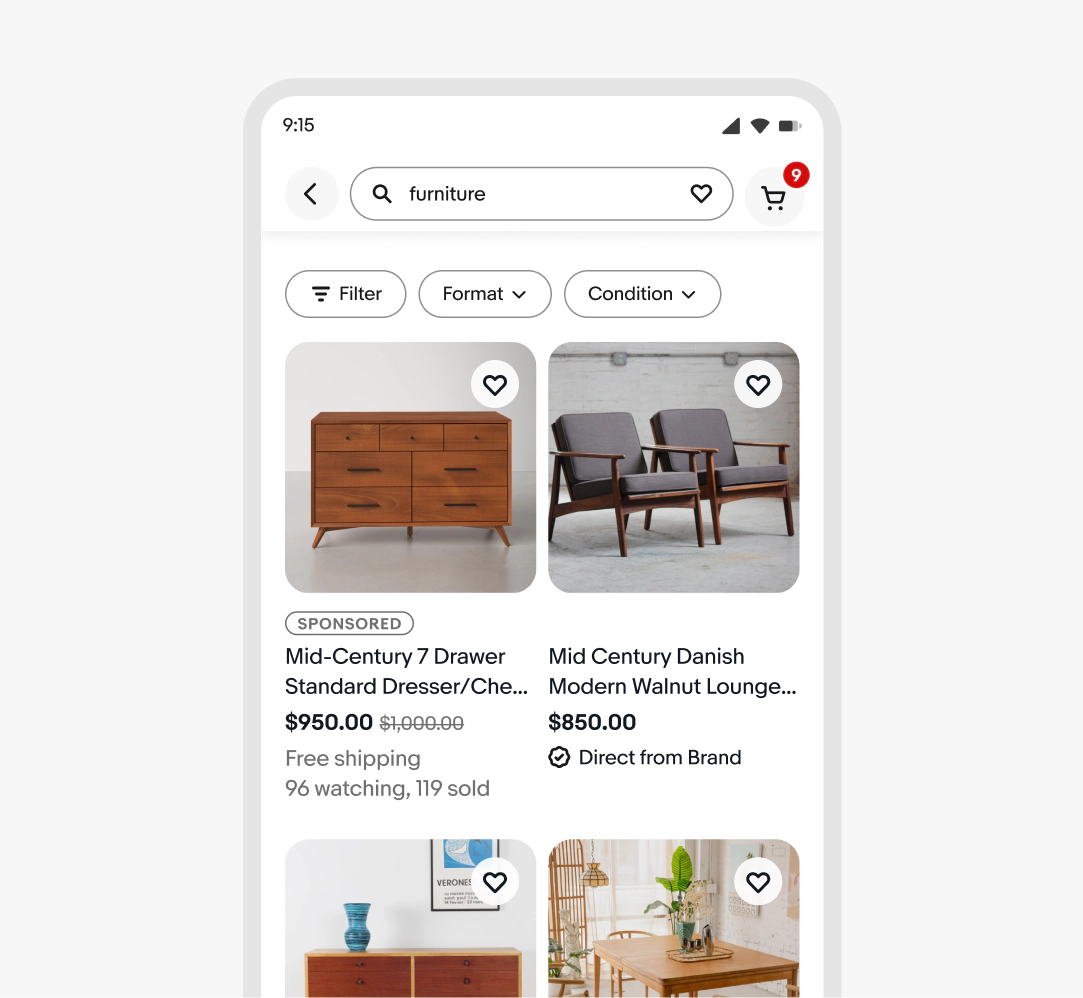
    Square is the primary aspect ratio, ensuring a uniform look in mixed-category areas like search results and home page carousels.

    1:1 images in context of an SRP layout.

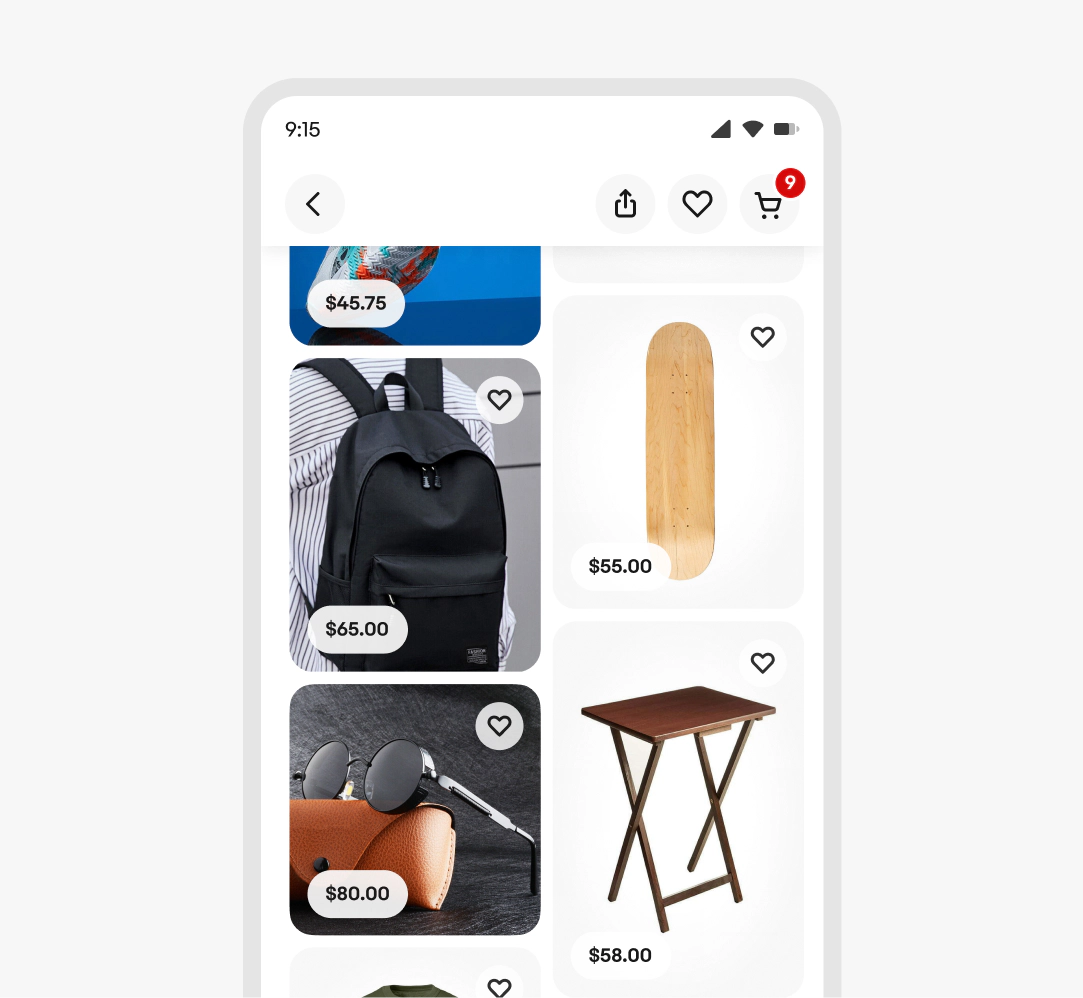
    Masonry grids

    Masonry grids display images closer to their original aspect ratios for a dynamic view. Learn more about using Masonry grids.

    Category-specific optimization

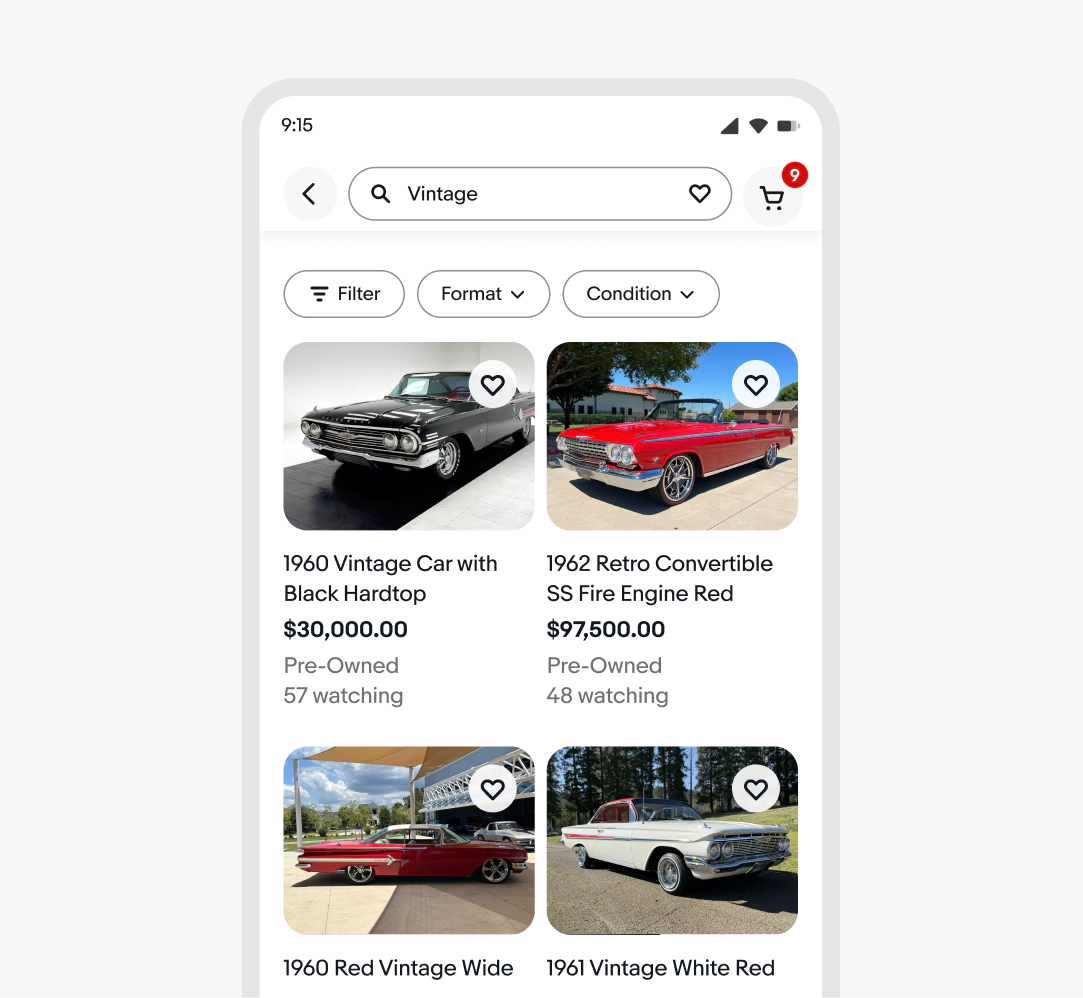
    For searches or category pages with dominant aspect ratios, such as 4:3 for automotive or 3:4 for graded cards, eBay may adjust displays for a better browsing experience.

    Grid of images using a 4:3 aspect ratio instead of standard 1:1 for listings.

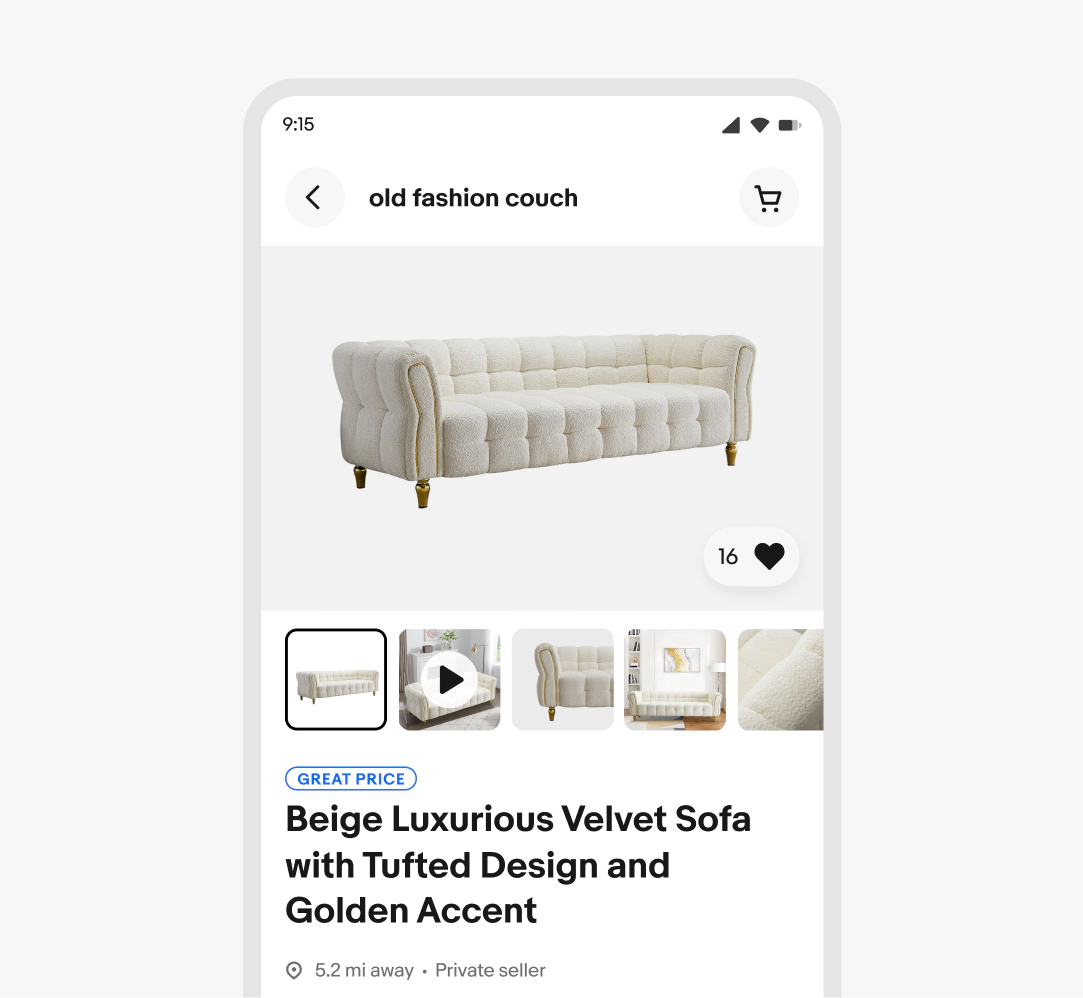
    Image as hero

    For standalone hero images (View item, gallery view), preserve the original aspect ratio. Letterboxing is not a concern in these scenarios.

    Showing view item image using a 4:3 aspect ratio instead of standard 1:1 for image preview.

    Consistency

    Consistency with aspect ratios should be chosen deliberately to serve the content and user experience, maintaining consistency across the platform for a unified visual language.

    Adaptability

    Image aspect ratios must accommodate diverse screen sizes and contexts, ensuring a seamless composition and optimized viewing experience across all devices.

    Effortless

    Seamlessly optimize user images without requiring excessive manual adjustments, ensuring a smooth and intuitive experience.

    A square image ratio

    1:1

    The square format, our dominant and recommended ratio, ensures consistency across all surfaces of eBay item listings.


    A 3:4 & 4:3 image ratio

    3:4 & 4:3

    These ratios are often camera phone defaults. These ratios can be optimal for specific categories like automotive and fashion. Sellers retain ratios when uploading images to preserve the intended composition.

    A 9:16 image ratio

    16:9 & 9:16

    For masonry and video, we offer the flexibility of 9:16 and 16:9 formats, in addition to our standard options.

    Images remain the same ratio across screen sizes. In this case, the square ratio remains consistent across small and large screens.

    Camera

    By recognizing these defaults, such as 3:4 & 4:3 being common smartphone camera defaults, we can better anticipate the aspect ratios of seller-uploaded images.


    Guidance

    This knowledge enables us to develop guidelines and tools that accommodate these common ratios while promoting the use of our preferred 1:1 format.

    Convenience

    We want to meet sellers where they are, and provide tools that help them optimize the images they have, instead of creating overly complex capture requirements.

    Aspect ratio

    Do use the aspect ratios outlined in our documentation.

    Example of 1:1 image ratio

    Don’t deviate from the defined aspect ratio standards.

    Example of a bespoke aspect ratio.

    Image content

    Do maintain a 1:1 aspect ratio for the image itself.

    Example of 1:1 image ratio

    Don’t distort the image within the container by stretching or smooshing.

    Example of image inside of media container  being distorted
    • Media container

      Learn how to use media containers to displays variety of visual content.

    • Item tile

      Learn how to build and use item tiles.