Skip to main contenteBay Playbook
  • Get started
  • Foundations
  • Design system
  • Expressions
  • Resources
  • Articles

Foundations

  • Overview
    • Our logo
    • Using our logo
    • Using our tagline
    • Showcase
    • Our colors
    • Using color
    • Using color in product
    • Using color in marketing
    • Using color in illustration
    • Best practices
    • Showcase
    • Our typeface
    • Using type
    • Using type in digital
    • Using type in print
    • Best practices
    • Showcase
    • Our photos
    • Visual tone
    • Image types
    • Showcase
    • Our icons
    • Using icons
    • Confirmation indicators
    • Icon library
    • Best practices
    • Showcase
    • Our illustrations
    • Visual tone
    • Using illustration
    • Sizing and placement
    • Best practices
    • Showcase
    • Our motion
      • Using motion in product
      • Volume of motion
      • Product transitions
      • Expressive animation
      • Using motion in marketing
      • Layout in motion
      • Typography in motion
      • Depth in motion
    • Overview
    • Include plugin
      • Overview
      • Responsive layout
      • Image ratio
      • Uniform
      • Masonry
      • Mosaic
      • Overview
      • Stacks
    • Interaction levels
    • Interaction states
    • Using object styles in product
    • Using object styles in marketing

Mosaic

A mosaic grid groups items in a visually compelling layout to show hierarchy, user signals, and user browsing behavior.
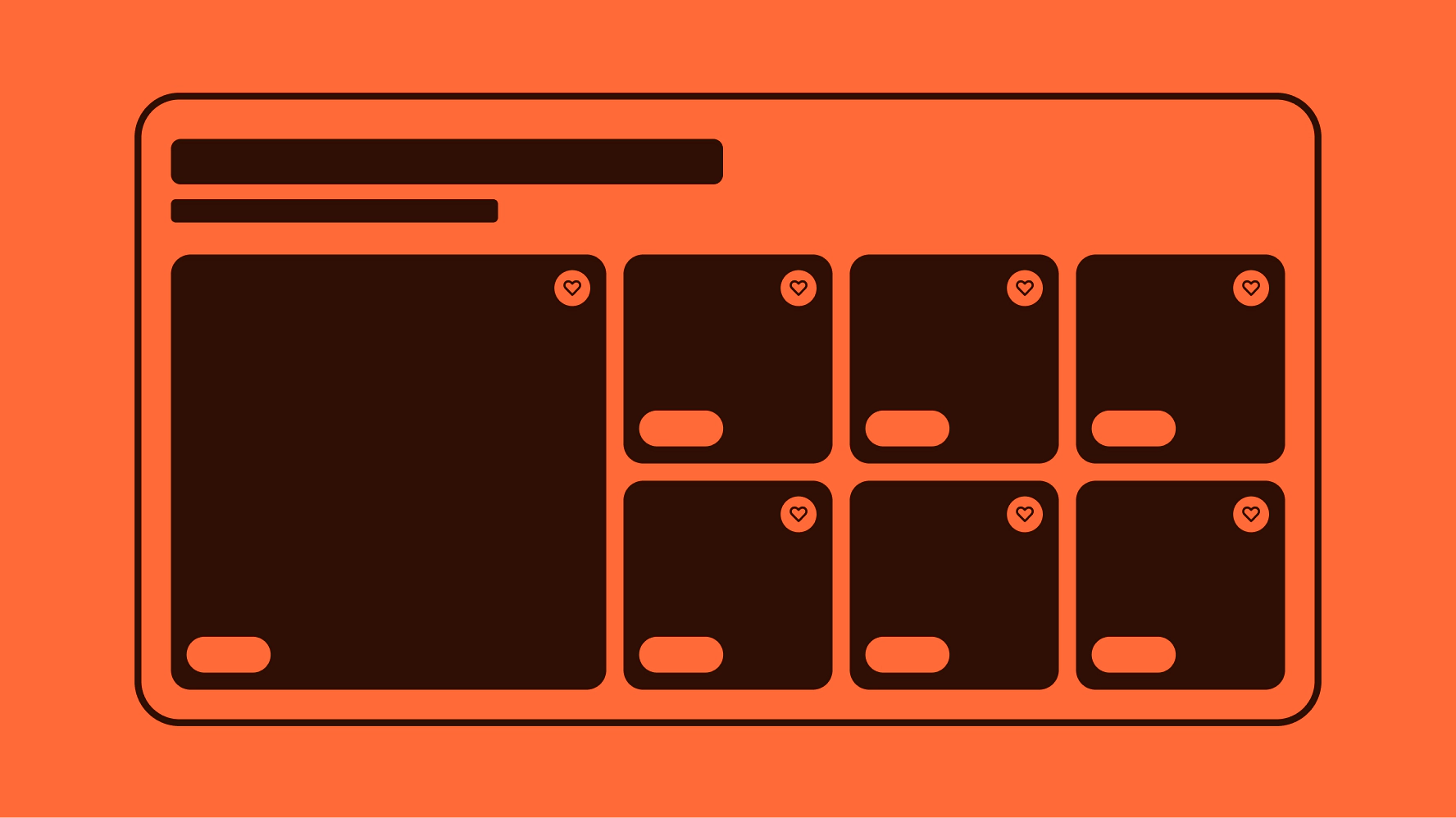
Stylized graphic of a mosaic grid in coral.
Mosaic

On this page

  • Considerations
  • Anatomy
  • Properties
  • Behavior
  • Content
  • Screen sizes
  • Best practices
  • Specs
  • Resources

Anatomy

Properties

Behavior

Content

Screen sizes

Best practices

Specs

Resources

PreviousMasonryNextLayout in marketing: Overview
Things.People.Love.
  • Get started
  • Foundations
  • Design system
  • Expressions
  • Resources
  • Articles
  • About eBay Design
  • Careers
  • Press
  • Privacy policy
© 2026 eBay. All rights reserved.

eBay Evo, the eBay trademark, and the eBay logo are the intellectual property of eBay Inc.

    Product specific

    Product-specific mosaic grids are used when we have advertising around a specific product. All tiles in the product-specific mosaic grid are item tiles, and all small tiles are related to the hero tile.

    Category / theme

    Category / theme mosaic grids are used to highlight a collection or items across adjacent categories. This could be things like "tailgating," "camping essentials," or "back to school."

    In this usage, the hero tile and "See all" link take the user to an event or landing page.

    Layout

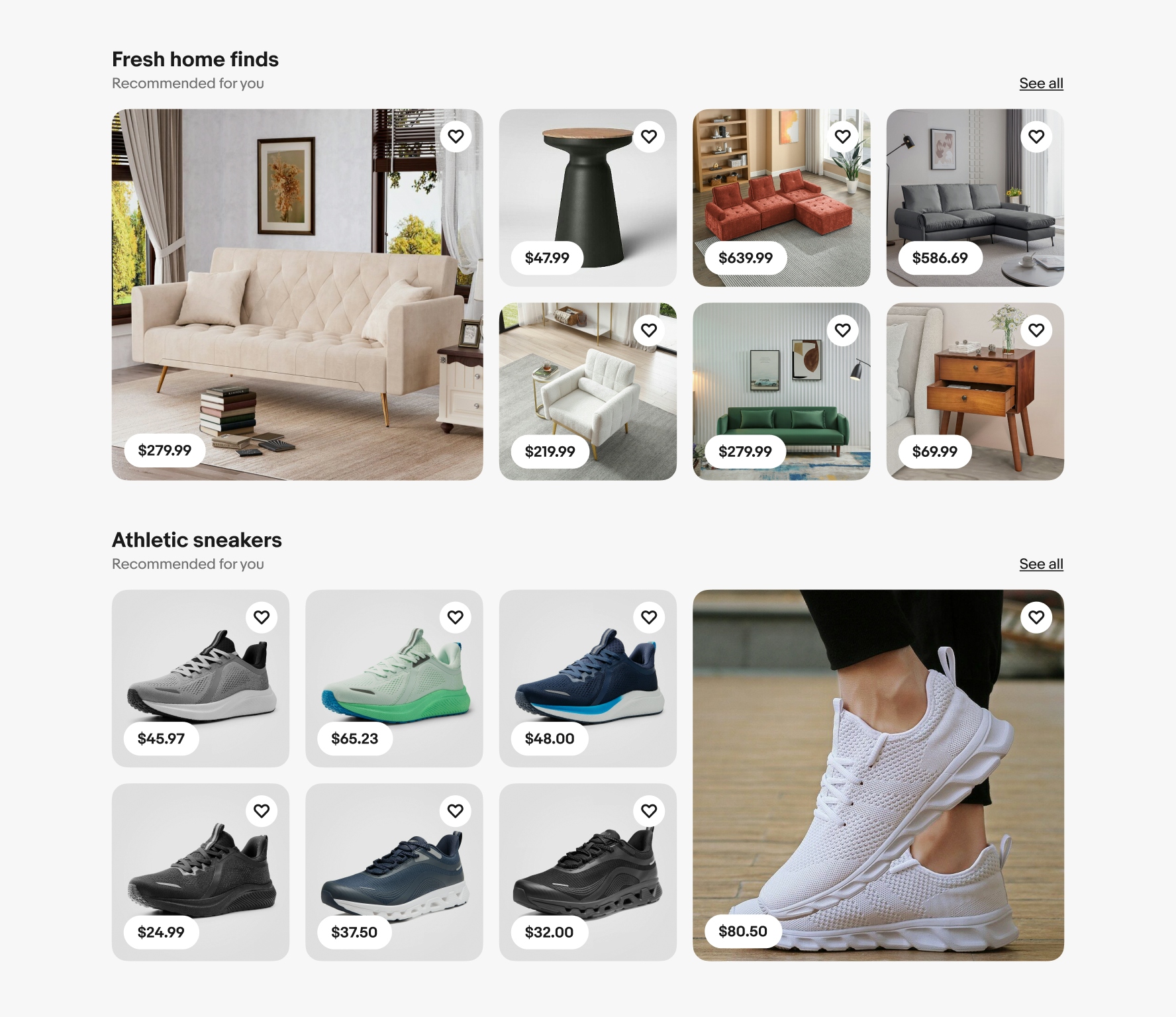
    Mosaic grids should lead with a hero tile. However, when mosaic grids are stacked one after another, the following hero image will switch to the ride side of the layout. This behavior is only for medium- and large-screen sizes.

    Keyboard interaction

    Focusing on an item tile outlines the image with a focus indicator. TAB navigates through interactive elements within the tile. ENTER or SPACE activates nested elements or navigates to a detail page when the image is selected.

    Price

    The price is one of the most important elements and is required for all tiles. The price is always bolded. The price container sits on top of the image or on its own line below the image.

    Hero tile

    When possible, use the hero tile to reflect a specific signal, such as a frequently searched item, recently viewed, or a strong product recommendation based on browsing behavior.

    Related items

    Items related to the hero should still be personalized and relevant to the user, but they may not have as strong a signal as the hero tile. For example, the items are related to something the user has searched for but not something they've seen before.

    Small

    At small sizes, the hero item tile is always fixed to the top. Mosaic grids only display 5 item tiles total at small-screen sizes.

    Medium and Large

    At medium and large sizes, the hero item tile is fixed to the left. Mosaic grids only display 7 item tiles at these sizes. The hero item can be fixed to the right only if two mosaic grids are stacked.

    Large screen

    Small screen

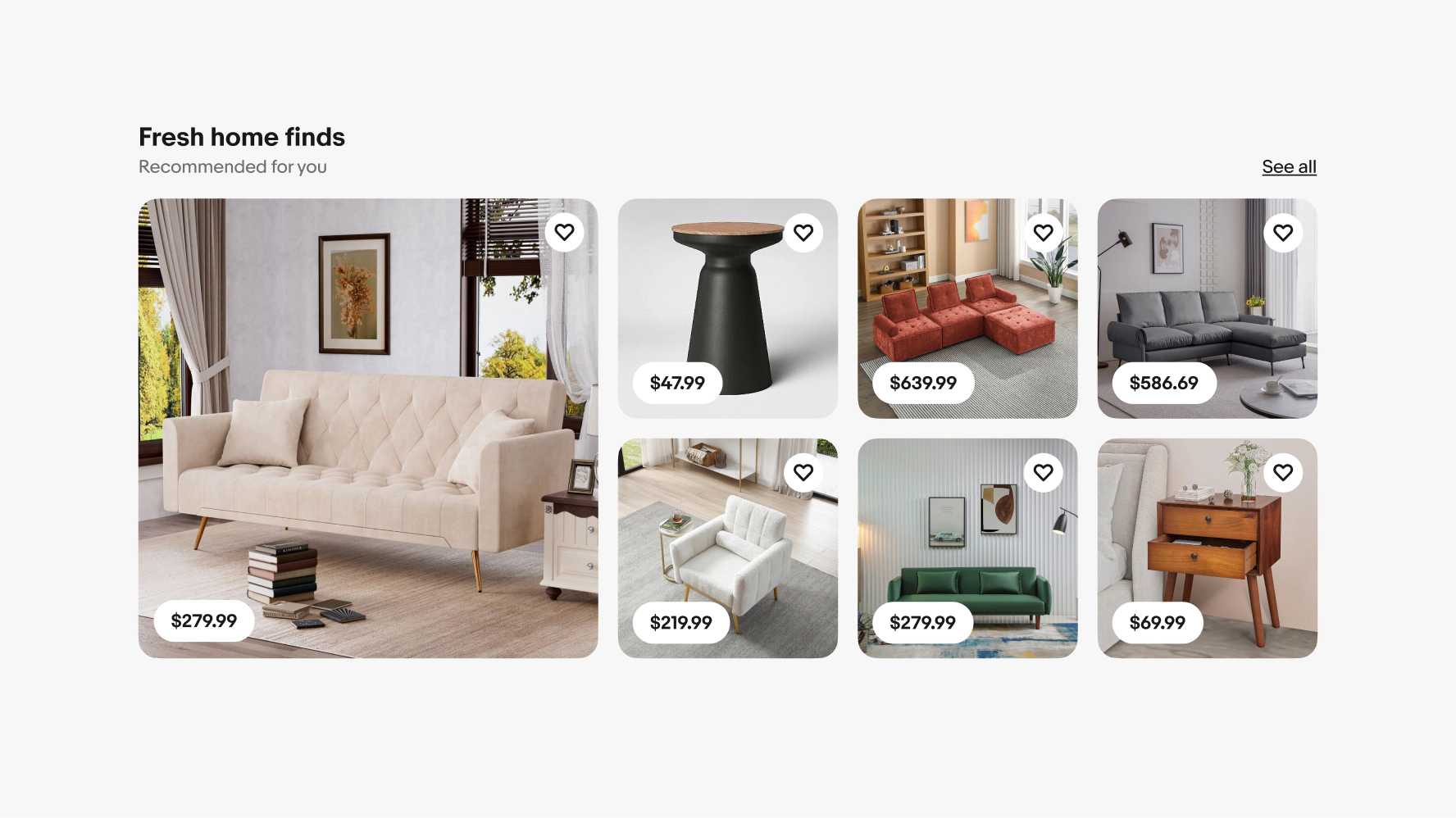
    A mosaic grid of “Fresh home finds”. The hero tile is of a couch. The supporting tiles are of other couches, chairs, and side tables.
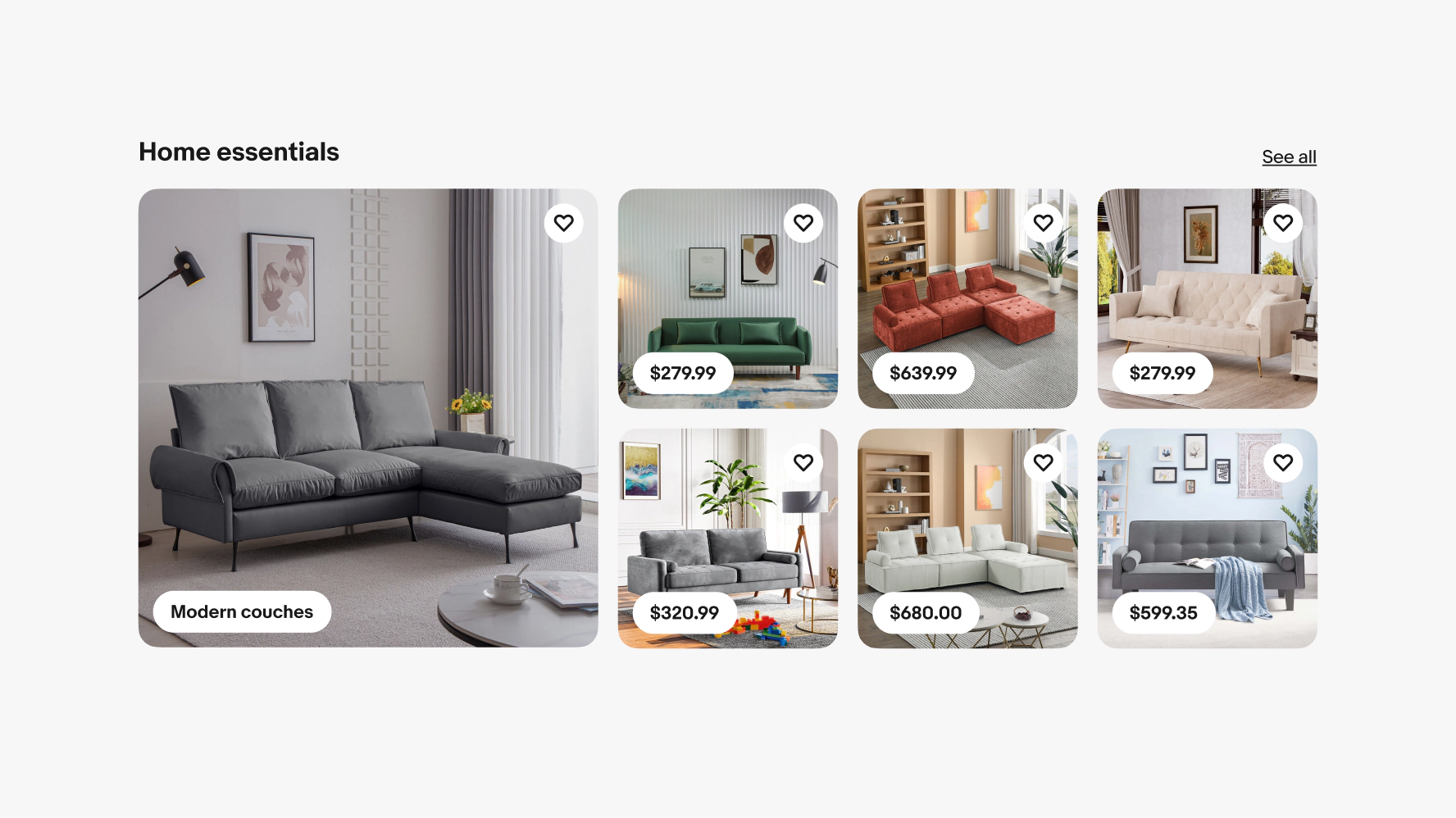
    A mosaic grid of “essentials”. The hero tile is of a couch and a category text pill of “Modern couches” is in the bottom left of the hero tile image. The supporting tiles are all of couches.
    Two large screen mosaic grid modules stacked. The second grid has the hero tile on the right side.
    Two item tiles with blue keyboard focus stroke indicators. The left example is around the save icon in the upper right of the image. The right example is around the image itself.
    An item tile with a price pill in the lower left corner.
    A graphic representation of a large hero tile on the left and 4 gray boxes in a grid on the right symbolizing the related items.
    A graphic representation of a large gray box on the left symbolizing the hero tile and 4 tiles in a grid on the right for related items.
    A small screen mosaic grid with a large hero tile on the top and 4 smaller tiles in a grid beneath it.
    A large screen mosaic grid with a large hero tile on the left and 6 smaller tiles in a grid on the right.
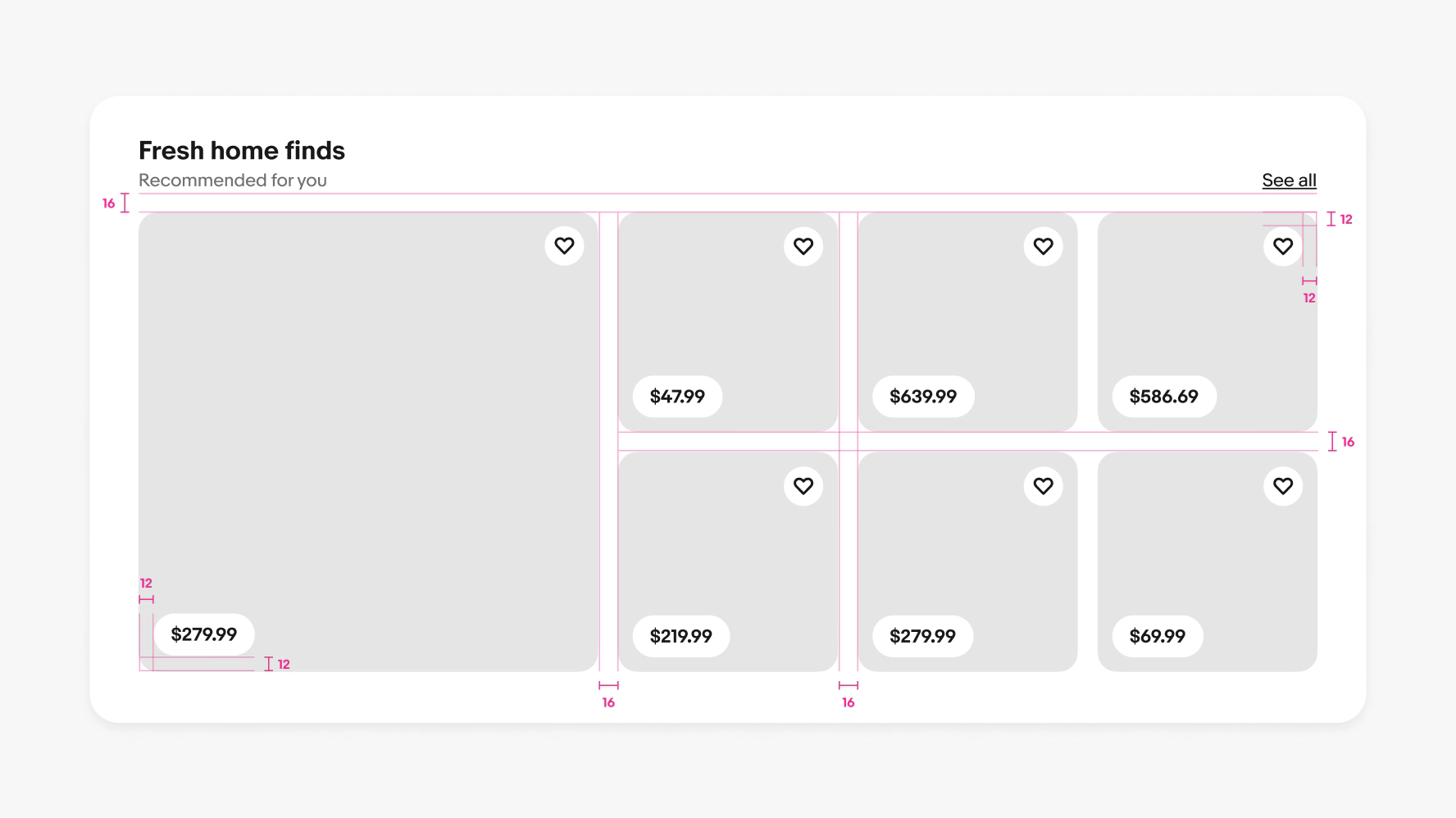
    A detailed spec of a mosaic grid on large screens. 16px of space is between the title and grid. There is 16px of space between columns and rows of tiles. 12px of space is in the corners of price pills and save icon buttons.
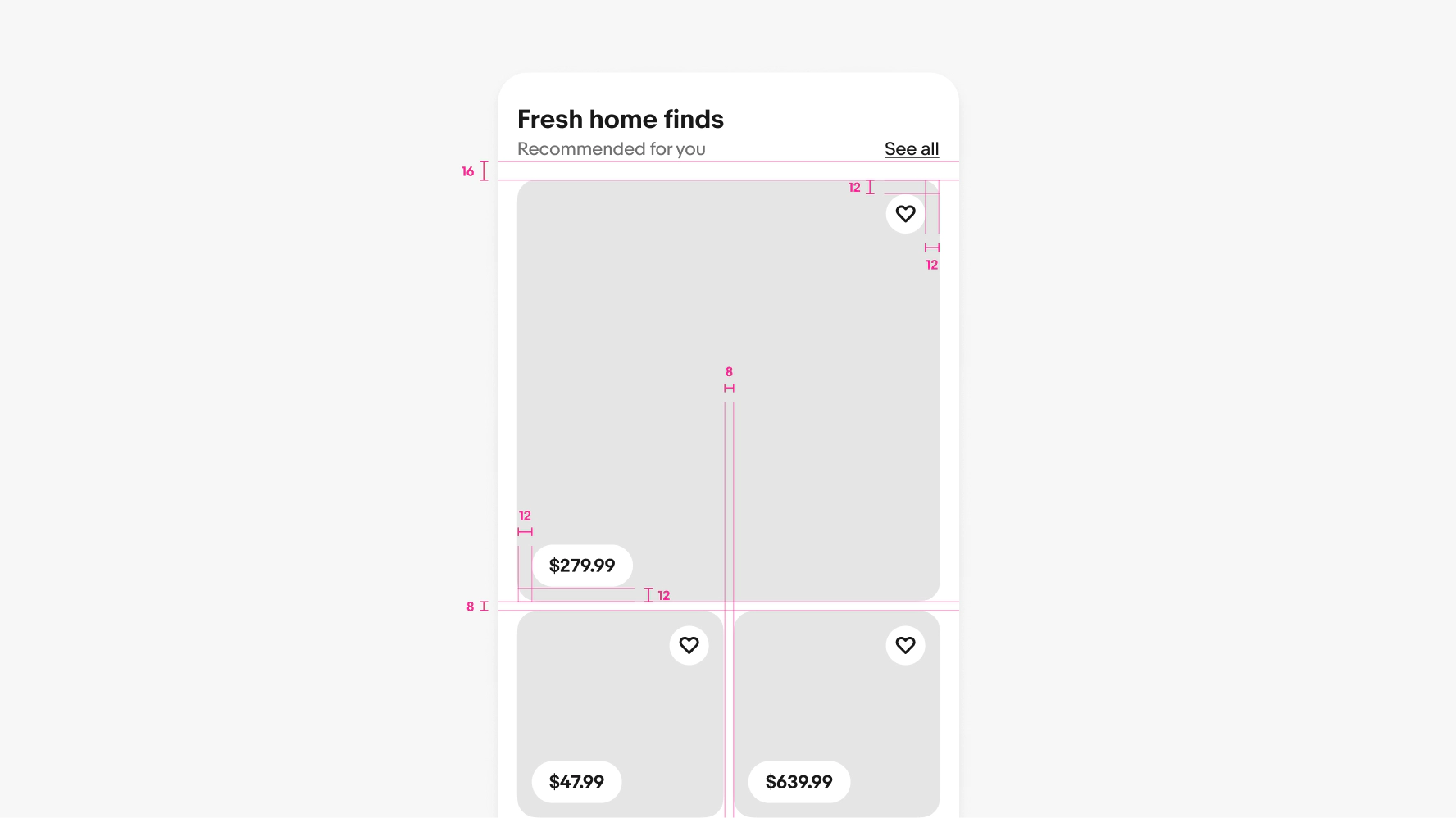
    A detailed spec of a mosaic grid on small screens. 16px of space is between the title and grid. There is 8px of space between columns and rows of tiles below the hero tile. 12px of space is in the corners of price pills and save icon buttons.

    Considerations

    Consistent

    Mosaic grids react consistently and expectedly across all platforms.

    Personal

    Mosaic grids contain items that are recommended and personalized to the user.

    Simplified

    Mosaics allow for a list of multiple complex items to be presented in a more consumable format.
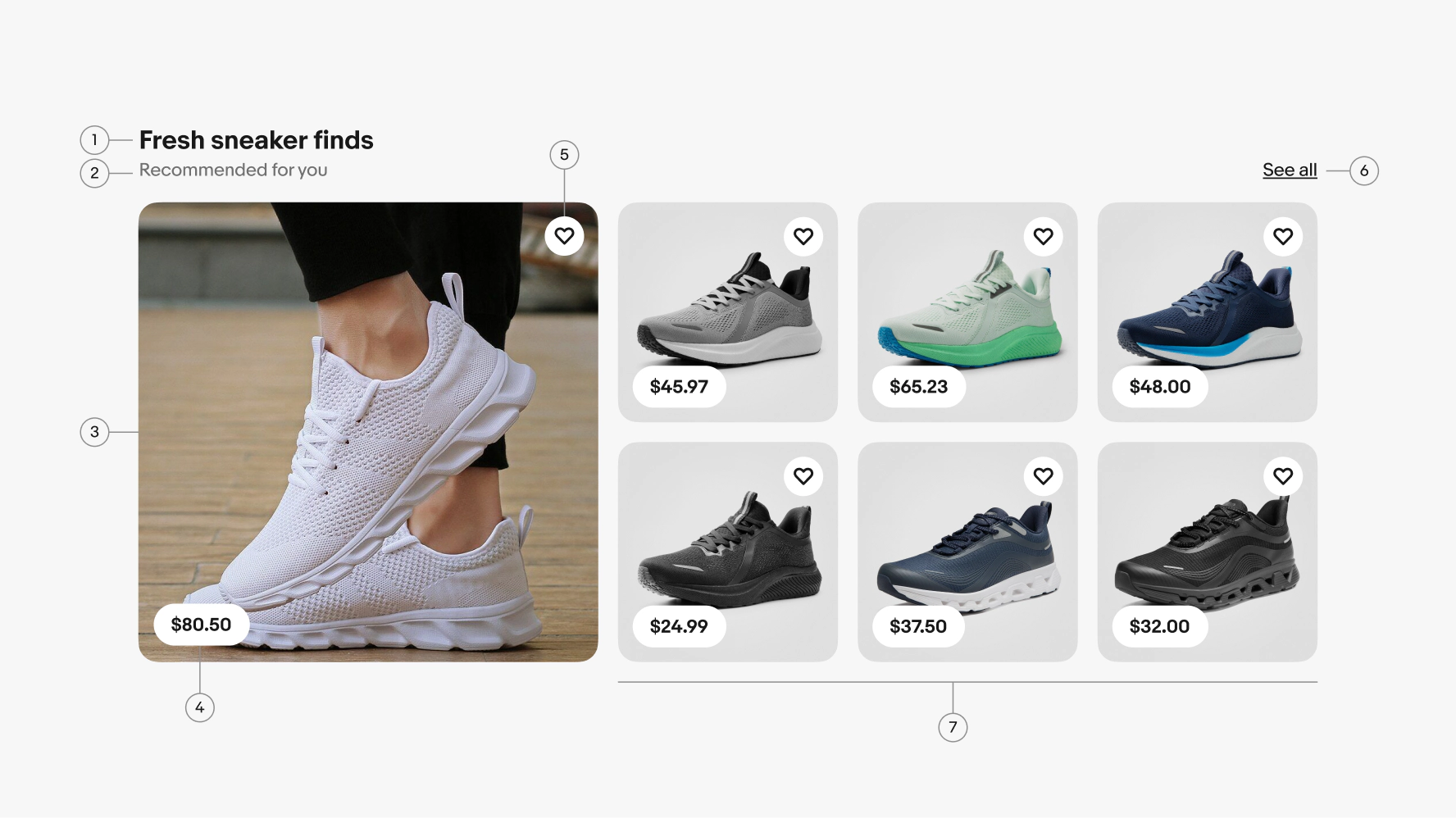
    Anatomy of a mosaic grid. Number 1 points to the grid title. Number 2 points to the grid subtitle. Number 3 points to the hero tile. Number 4 points to the price pill. Number 5 points to the save action. Number 6 points to the action link. Number 7 points to related item tiles.
    1. Title
    2. Subtitle
    3. Hero tile
    4. Price pill
    5. Save action
    6. Action link
    7. Related items

    Keep it specific

    Do keep the content in mosaic grids specific to a product, category or theme.

    A small screen mosaic grid with items that are related to home essentials consisting of couches.

    Don’t mix items from unrelated categories or use broad queries for items in a mosaic grid. They should be focused on a specific theme.

    A small screen mosaic grid with items that are unrelated to each other consisting of shirts, tables, glasses, plants.

    Scrolling

    Do keep mosaic modules fixed to the grid.
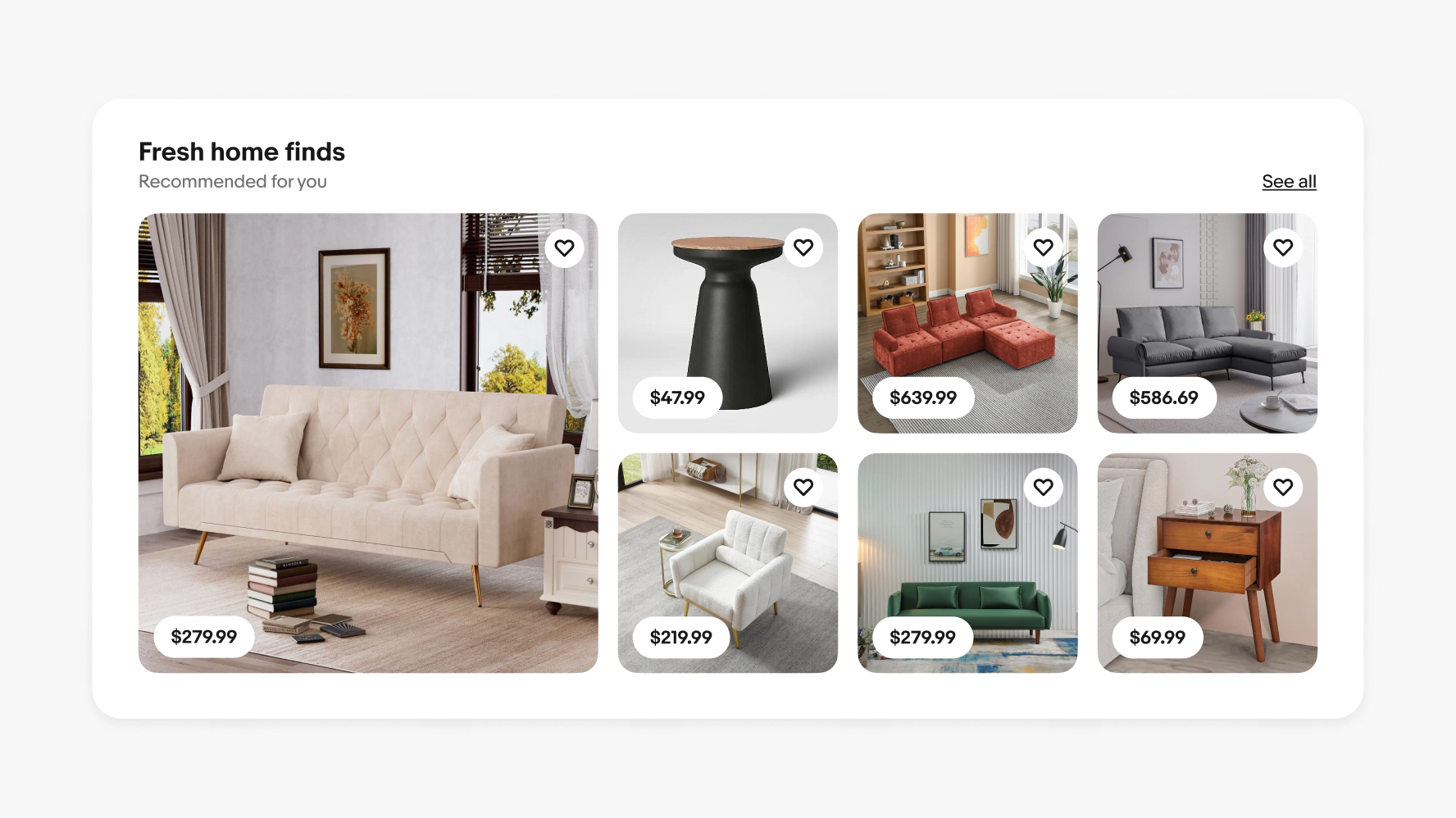
    A large screen mosaic grid that is fixed to the page grid.

    Title

    Don’t scroll mosaic grids off the viewport.
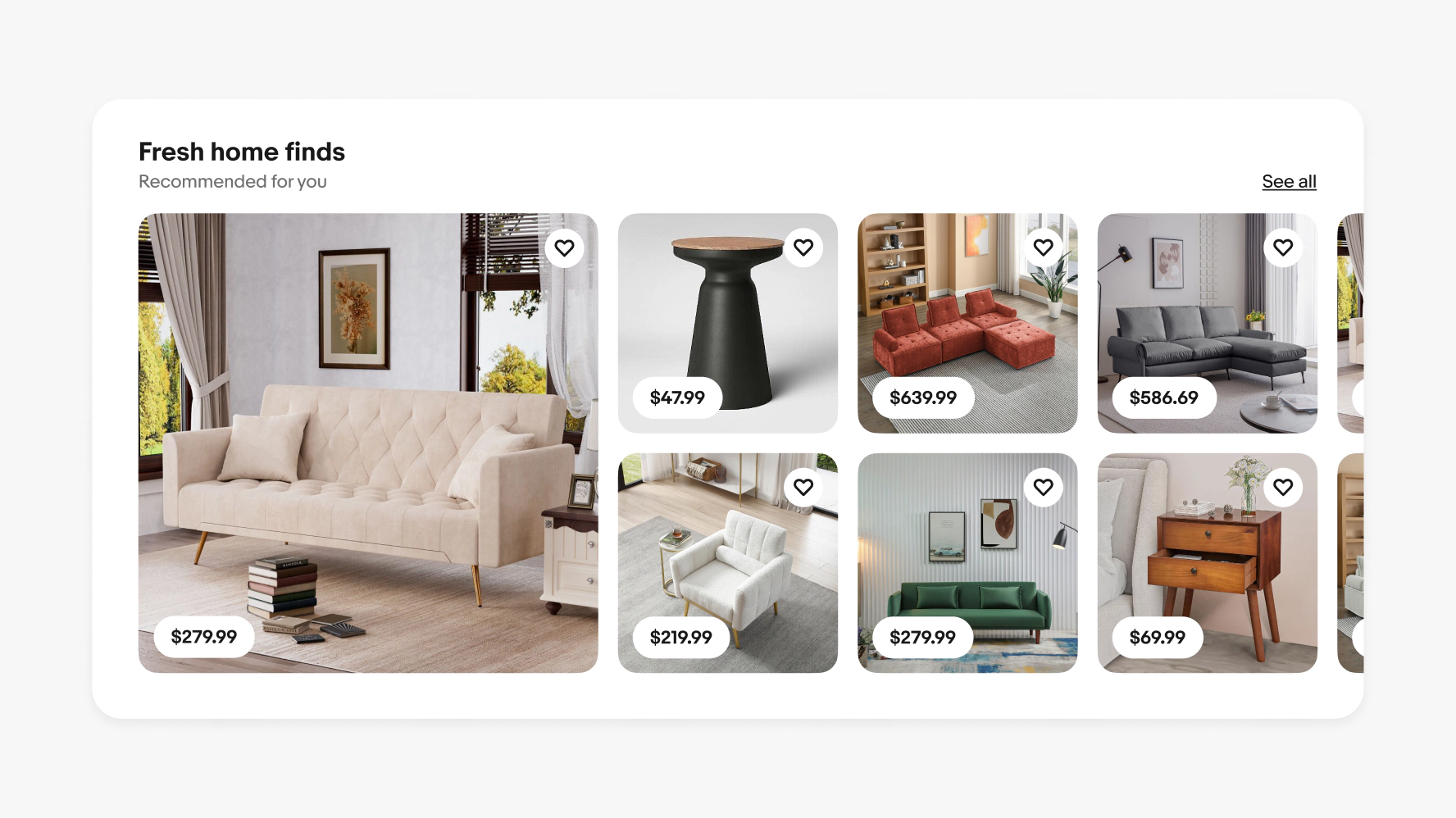
    A large screen mosaic grid that bleeds horizontally off the edge of the screen.
    • Breakpoint tokens

      Learn about our breakpoint tokens.

    • Item tile

      Learn how to build and use item tiles.