Skip to main contenteBay Playbook
  • Get started
  • Foundations
  • Design system
  • Expressions
  • Resources
  • Articles

Foundations

  • Overview
    • Our logo
    • Using our logo
    • Using our tagline
    • Showcase
    • Our colors
    • Using color
    • Using color in product
    • Using color in marketing
    • Using color in illustration
    • Best practices
    • Showcase
    • Our typeface
    • Using type
    • Using type in digital
    • Using type in print
    • Best practices
    • Showcase
    • Our photos
    • Visual tone
    • Image types
    • Showcase
    • Our icons
    • Using icons
    • Confirmation indicators
    • Icon library
    • Best practices
    • Showcase
    • Our illustrations
    • Visual tone
    • Using illustration
    • Sizing and placement
    • Best practices
    • Showcase
    • Our motion
      • Using motion in product
      • Volume of motion
      • Product transitions
      • Expressive animation
      • Using motion in marketing
      • Layout in motion
      • Typography in motion
      • Depth in motion
    • Overview
    • Include plugin
      • Overview
      • Responsive layout
      • Image ratio
      • Uniform
      • Masonry
      • Mosaic
      • Overview
      • Stacks
    • Interaction levels
    • Interaction states
    • Using object styles in product
    • Using object styles in marketing

Best practices

What—and what not—to do when using iconography.

Best practices

On this page

  • Styling
  • Size and spacing
  • Subject matter
  • Amount

Styling

Size and spacing

Subject matter

Amount

Change log

DateNotes
Jun, 2024
  • Updated to eBay Evo
PreviousIcon libraryNextShowcase
Things.People.Love.
  • Get started
  • Foundations
  • Design system
  • Expressions
  • Resources
  • Articles
  • Careers
  • Press
  • Privacy policy
© 2025 eBay. All rights reserved.

eBay Evo, the eBay trademark, and the eBay logo are the intellectual property of eBay Inc.

    Do use the icon assets in our library.

    Don’t modify or change icons.

    Do partner with the Design System team to create icons that aesthetically adhere to our system.

    Don’t create icons that have a visually different style.

    Do use icons for their intended subject matter.

    Don’t use multiple icons to create a new icon or larger graphic.

    Do use a single color for icons.

    Don’t segment an icon into multiple colors.

    Do use our existing filled or active versions of icons when applicable.

    Don’t create your own filled or active versions of icons.

    Don’t rotate, skew, or stretch icons.

    Don’t alter the stroke weights of an icon.

    Don’t apply gradients or other effects to icons.

    Don’t fill icons with patterns or imagery.

    Do create icons at our standard sizes.

    Don’t create arbitrarily-sized icons.

    Do use our provided icon sizes. Our icons are drawn at each size to maintain proper stroke weights across the experience.

    Don’t scale an icon to different sizes. This creates an imbalance in stroke weight next to our other carefully drawn sizes.

    Do use icons that optically fit inside buttons. In general, use an icon that is half the size of a button (for example, place a 16px icon in a 32px button).

    Don’t use icons that appear too small or large for a button size.

    Do give enough space between icons and text.

    Don’t crowd icons and text too closely together.

    Do use the icons to represent correct subject matter.

    Don’t use an icon for subject matter it doesn’t represent.

    Do use icons to guide users with purpose.

    Don’t create patterns with icons or use them as decoration.

    Do try to consolidate icons to ones that are truly necessary for navigation and actions.

    Don’t overuse icons that cause the hierarchy of the page or navigation and actions to become difficult to understand. When more than one action is needed, an overflow menu is a good option.

    The official cart icon from the icon library.
    The cart icon with added lines and embellishments.
    A shoe icon in our linear 2px visual style.
    A filled shoe icon with lots of fine line work and detail.
    A search input with a search icon and placeholder text.
    A search input with a search icon and placeholder text. This search icon has a heart icon inside of it.
    An icon in a single black color.
    An icon with random pink and blue coloring.
    A filled home icon used in the bottom navigation bar.
    A filled cart icon placed in a top navigation bar.
    An icon with a measurement indicator of 24px.
    An icon with a measurement indicator of 32px, which is not one of the available sizes.
    Two icons, one at 24px with a 2px stroke and the other at 16px with a 2px stroke.
    Two icons, one is a 16px icon scaled to 24px which created a 3px stroke. The other is a 24px icon scaled to 16px which created a 1.25px stroke.
    A collection of icon buttons with the proper icon sizes inside. The 48px button has a 24px icon, the 40px button has a 20px icon, and the 32px button has a 16px icon.
    A collection of icon buttons with the improper icon sizes inside. The 48px button has a 20px icon, the 40px button has a 16px icon, and the 32px button has a 24px icon.
    An icon next to a block of text. The text describes managing inventory and the icon is a package.
    An icon next to a block of text. The text describes managing inventory and the icon is a lock.
    A button with an icon and text inside. The icon is a heart and the text is “Save seller”.
    A grid of heart icons forming an image with the text “we love iconography” inside.
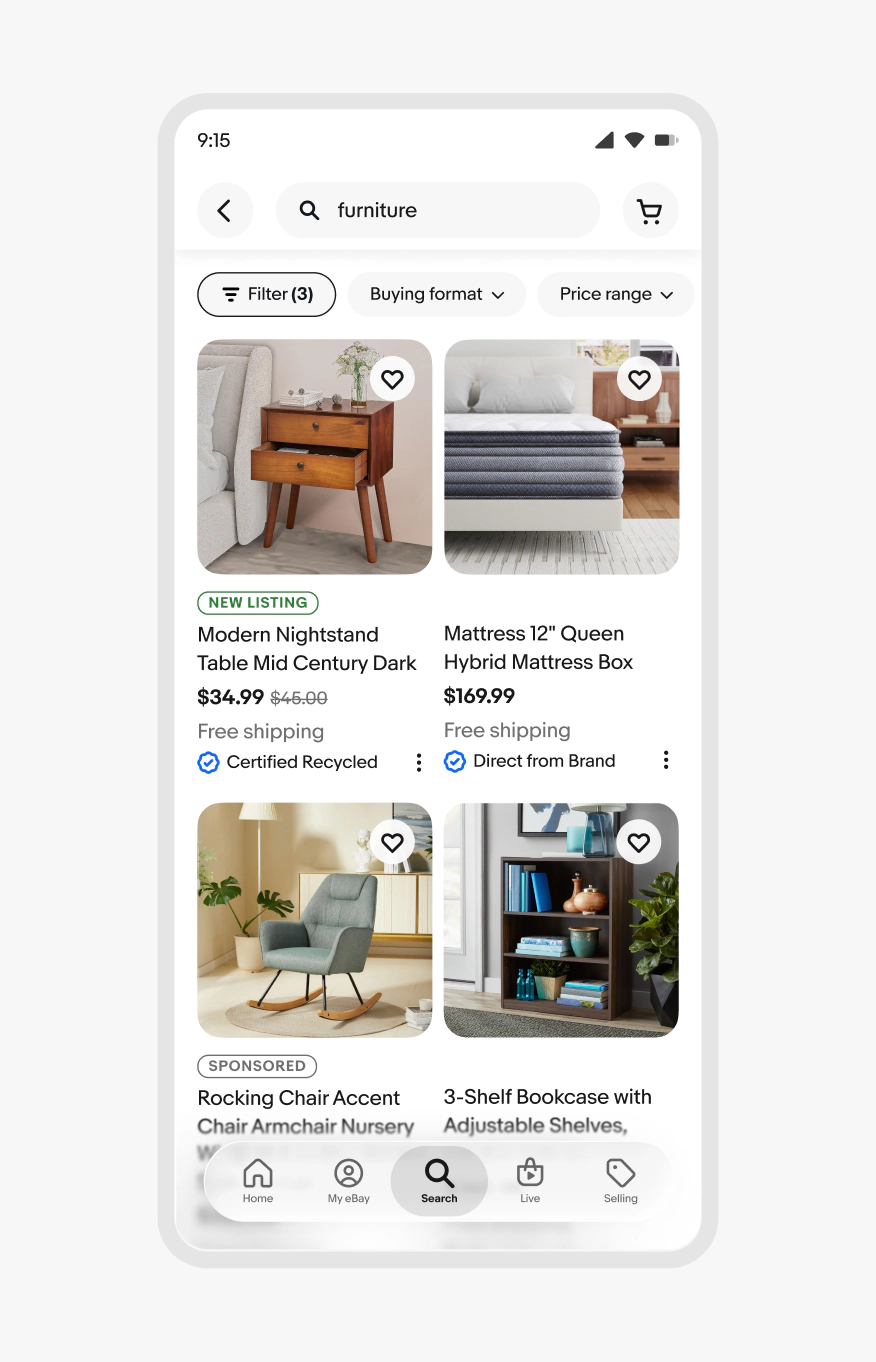
    A search results page with a minimal amount of icons.
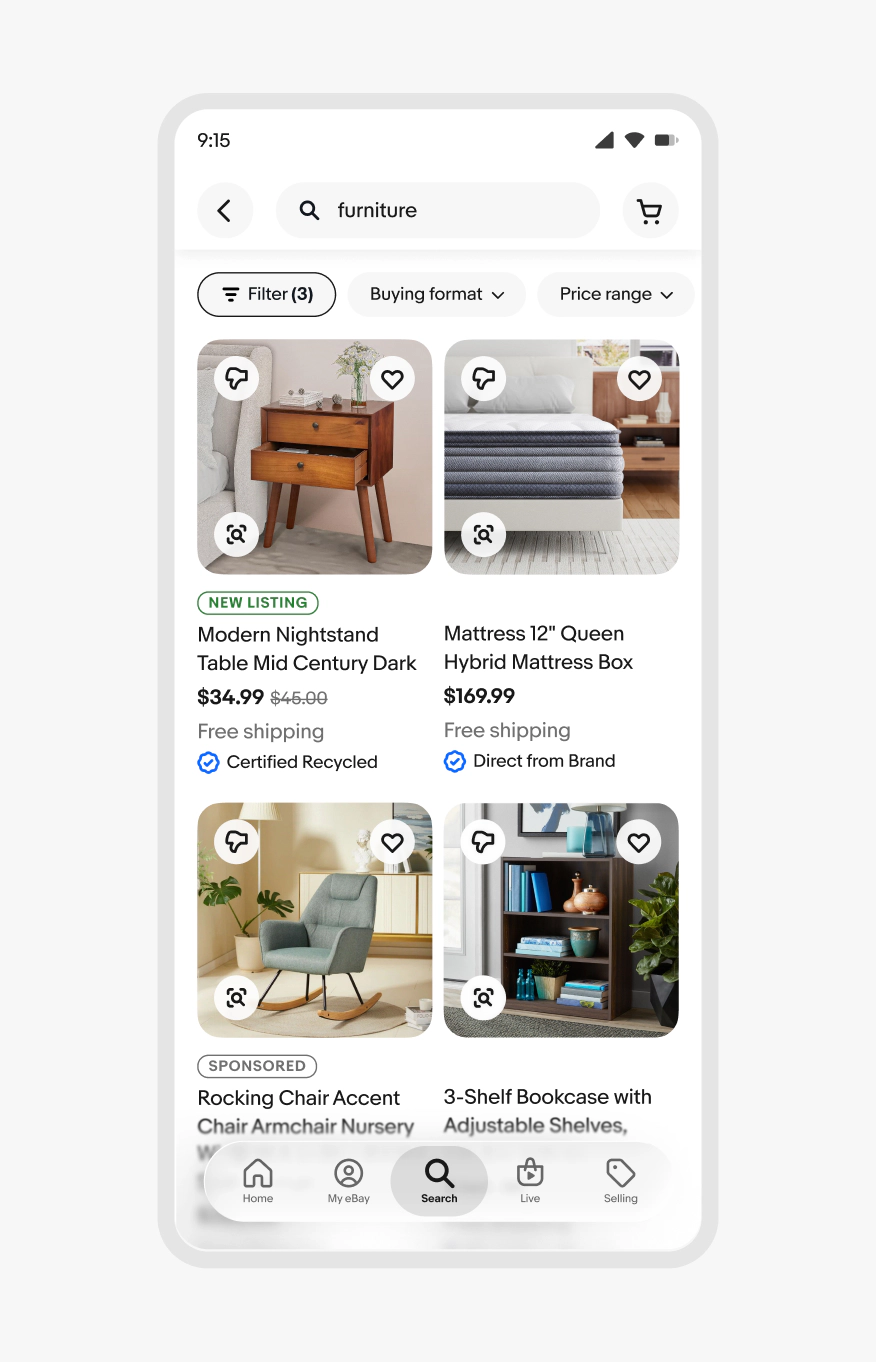
    A search results page with too many icons scattered across item tiles.